



The iPhone 18 Pro launched this September, and the monsoon is still soaking much of Bharat. That combination puts brand-new phones in wet pockets every day.
We found that knowing how to get water out of charging port safely is now one of the most urgent fixes for iPhone owners heading into the festive season.
What You Need to Know
- Your iPhone blocks wired charging when it detects liquid, which protects the pins from corrosion.
- Apple says a wet port takes 30 minutes to 24 hours to dry fully.
- Never use rice, heat, cotton swabs, or compressed air.
Why Is This Trending in Bharat Right Now?
Rain and new phones are colliding. Our analysis suggests liquid alerts rise wherever heavy rainfall overlaps with daily commutes and outdoor festivities.
| Region | Peak Rain Months | Common Wet-Port Trigger |
|---|---|---|
| Mumbai and coastal Maharashtra | June to September | Commuting in heavy downpours |
| Kerala | June to September, plus Oct to Nov | Back-to-back monsoon spells |
| Chennai and Tamil Nadu | October to December | Northeast monsoon flooding |
| Kolkata and West Bengal | June to September | Pandal visits in the rain |
| Assam and Meghalaya | May to September | High humidity, frequent showers |
| Delhi NCR | July to September | Sudden, intense downpours |
If you’ve been following the Apple ecosystem, this won’t come as a surprise. Wet ports rank alongside slow charging as a top complaint, which is why our guide on How to Clean iPhone Charging Port is also drawing heavy traffic.
Dooflix iOS Download : How to get Dooflix on iPhone?
How Water Resistant Is Your iPhone?
Water resistance (the ability to survive brief submersion) varies by model. Apple confirms on its water resistance page that this protection weakens with normal wear.
| Model | Rating | Max Depth | Duration |
|---|---|---|---|
| iPhone 12 to iPhone 18 Pro, iPhone Air, iPhone Duo | IP68 | 6 meters | 30 minutes |
| iPhone 11 Pro, 11 Pro Max | IP68 | 4 meters | 30 minutes |
| iPhone 11, XS, XS Max | IP68 | 2 meters | 30 minutes |
| iPhone XR, X, 8, 7, SE (2nd and 3rd gen) | IP67 | 1 meter | 30 minutes |
Liquid damage is not covered under Apple’s warranty.
How to Fix WhatsApp Notifications Not Working on iPhone
What Does the Liquid Alert Mean?
The alert means your iPhone has found moisture in the connector or cable. Models from iPhone XS and XR onward show these warnings.
| Alert Message | What It Means |
|---|---|
| Charging Not Available | Liquid found in the Lightning port while charging |
| Liquid Detected in USB-C Connector | Liquid found while a USB-C charger or accessory is connected |
| Liquid Detected | Liquid found while a non-charging USB-C accessory is connected |
What Does Apple Say You Should Do?
Apple says patience beats every shortcut. These steps follow Apple’s official liquid-detection guidance:
- Unplug the cable from your iPhone and from the power adapter.
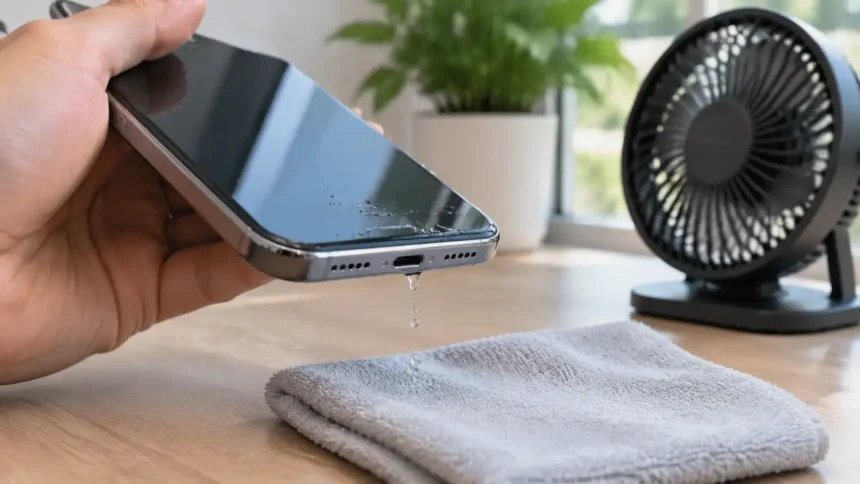
- Tap your iPhone gently against your hand with the port facing down.
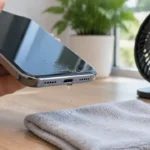
- Place it in a dry spot with airflow. A fan blowing cool air into the port can help.
- Wait at least 30 minutes, then try charging again.
- Leave it for up to 24 hours if the alert returns.
- Switch to a Qi-certified wireless charger once the back is dry.
Apple does offer an emergency override.
Use it only when you have no other option, since charging while wet can corrode the pins. Back up your chats before any repair visit using our guide on accessing Messages on iCloud.
How to Clean iPhone Charging Port: Fix Slow Charging Now
What Should You Never Do?
Viral hacks cause more damage than water does.
| Do | Don’t |
|---|---|
| Wipe with a lint-free cloth | Use a hair dryer or heat source |
| Use a fan on a cool setting | Blow compressed air into the port |
| Charge wirelessly if the back is dry | Insert cotton swabs or paper towels |
| Dry the phone before opening the SIM tray | Bury the phone in rice |
| Contact Apple if the alert persists on dry cables | Ignore repeated alerts |
Rice particles can lodge inside the port.
Skip it entirely.
How to Get Water Out of Charging Port Fast The iPhone 18 Pro launched this September, and the monsoon is still soaking much of Bharat. That combination puts brand-new phones in wet pockets every day. #ChargingPort #WaterInChargingPort #WetChargingPort https://t.co/kSKFaIiZlC
— Considering Apple (@consider_apple) November 25, 2026
What Does This Mean for Apple Users?
A dry port protects your new iPhone’s lifespan. Industry insiders are noting that most “dead port” repairs start with one rushed charge.
Want more quick fixes? Our popular iPhone tips on hiding apps and our iPhone troubleshooting guide on blocked numbers cover other common questions.
Also read our latest post: How to Turn Off Touchscreen on Chromebook in 2026. Keep a lint-free cloth and a wireless charger in your monsoon bag today.
Visit consideringapple.com for more stories.