



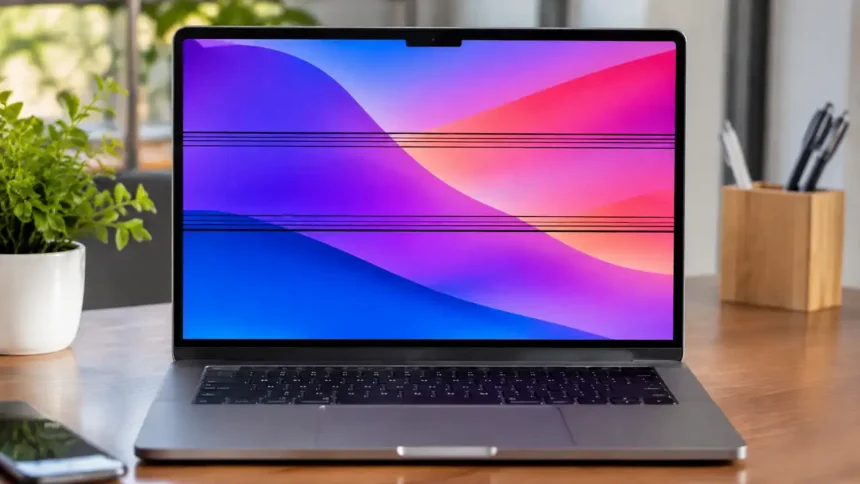
macOS 27 rolled out this September, and owners across Bharat are reporting black lines across MacBook Pro screen panels after updating. The timing hurts: festive sales push buyers to repair or replace, and a wrong call can cost you ₹50,000 or more.
Key Takeaways
- Most black lines trace back to a worn display cable or panel damage, not only macOS 27.
- A screenshot test separates software faults from hardware faults in under a minute.
- Third-party shops in Indian metros quote up to 70% less than Apple Authorized Service.
Why are black lines showing up now?
The update exposed an older fault. Our analysis suggests macOS 27 made owners restart and inspect their screens, so existing cable wear finally got noticed.
| Trigger | What We Found | Risk Level |
|---|---|---|
| macOS 27 update | Rare graphics glitches after install | Low |
| Worn display cable | Lines grow as the lid opens wider | High |
| Panel pressure damage | Lines stay fixed in one spot | High |
| Heat or humidity | Common after monsoon months | Medium |
If you’ve been following the Apple ecosystem, this won’t come as a surprise. Our breakdown of why your Mac screen has lines flagged the same cable wear pattern.
Pink Pointer Color Not Appearing in All Apps on MacBook Neo? Here’s How to Fix It
Is it software or hardware?
A screenshot answers the question. If lines appear in the saved image, macOS draws them; if not, the panel is at fault.
| Test | Result | Likely Cause |
|---|---|---|
| Screenshot | Lines visible | Software |
| Screenshot | No lines | Hardware |
| External monitor | Clean image | Internal display |
| Apple Diagnostics | Error code | Cable or logic board |
Color faults follow similar logic, as our report on orange discoloration on MacBook Pro screens shows.
How do you fix black lines at home?
Run the free checks before you pay anyone.
- Take a screenshot with Shift + Command + 3, then inspect it.
- Restart your Mac and watch the boot screen for lines.
- Update macOS in System Settings > General > Software Update.
- Boot into Safe Mode to rule out third-party apps.
- Connect an external display through HDMI or USB-C.
- Tilt the lid slowly and note if the lines shift with the angle.
- Run Apple Diagnostics: hold the power button until startup options appear, then press Command + D.
- Book a repair if lines stay on the internal screen only.
Slow startups can hide display faults, so pair these checks with our guide to fixing a slow boot Mac.
What does repair cost in Bharat?
Out-of-warranty screen work is the biggest expense.
| Repair Option | Estimated Cost (₹) | Turnaround |
|---|---|---|
| Apple Authorized Service | 50,000 to 75,000 | 5 to 10 days |
| Third-party shop | 15,000 to 40,000 | 2 to 5 days |
| Display cable only | 6,000 to 15,000 | 1 to 3 days |
| AppleCare+ covered | Service fee only | 5 to 7 days |
Figures are our market estimates from metro repair shops, September 2026. Confirm official quotes on Apple Support India.
Why Orange Discoloration on MacBook Pro Screen Is Trending
Where can you get it fixed in Bharat?
Metro owners get the fastest service.
| City | Apple Store | Authorized Providers | Typical Wait |
|---|---|---|---|
| Mumbai | Apple BKC | Many | 5 to 7 days |
| Delhi NCR | Apple Saket, Noida | Many | 5 to 7 days |
| Bengaluru | Apple Hebbal | Many | 5 to 7 days |
| Pune | Apple Koregaon Park | Several | 6 to 8 days |
| Hyderabad, Chennai, Kolkata | No | Several | 7 to 10 days |
| Tier-2 cities | No | Limited | 10 to 14 days |
Waits are our estimates and stretch during festive weeks.
Why Black Lines at Bottom of MacBook Pro Screen Trend Now
Should you repair it yourself?
DIY repair saves money, but one torn cable can destroy the panel.
| Pros | Cons |
|---|---|
| Lower cost | Voids warranty |
| Faster turnaround | Needs special tools |
| Free repair guides | High risk on Apple silicon models |
Check difficulty ratings on iFixit’s MacBook Pro repair hub before you open anything.
What does this mean for Apple users?
Act early.
Industry insiders are noting that a thin line often grows into a dead display within weeks. Small display quirks also show up in software, like the bug in our pink pointer color fix for MacBook Neo.
Latest post: Read Why MacRumors Is Changing Apple Ecosystem in 2026 before you spend this festive season.
Run the screenshot test today, then compare two repair quotes before you pay.
Visit consideringapple.com for more stories.