
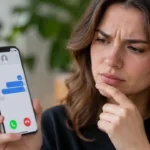





The iPhone 18 Pro launch and the iOS 27 rollout have millions of users across Bharat switching phones this September. New devices and festive-season spam have pushed one search up the charts: how do you know if someone blocked your number on an iPhone.
Key Takeaways
- Apple never notifies you when someone blocks your number.
- Calls go straight to voicemail, and iMessages show no “Delivered” status.
- One sign proves nothing. Two or three signs together point to a block.
Why is this search spiking in Bharat right now?
Blocking has become a one-tap habit. Since iOS 26, Blocked Contacts sits under Settings > Privacy & Security, and spam calls have pushed more iPhone owners to use it.
Our latest post, How to Block Mobile Number on iPhone, shows how fast that habit is growing. If you’ve been following the Apple ecosystem, this won’t come as a surprise. Buyers moving to the Apple iPhone 17 or iPhone 18 Pro are testing calls with old contacts, and some calls go silent.
What are the signs your number is blocked?
A blocked number triggers silent failures, not error messages. According to Apple Support, a blocked caller can still leave voicemail, but the recipient gets no notification.
| Sign | What Happens | Bharat Network Note |
|---|---|---|
| Straight to voicemail | One ring or none, then voicemail | Same on Jio, Airtel, Vi, BSNL |
| No “Delivered” on iMessage | Message stays blue, no status | Needs mobile data or Wi-Fi |
| Silent FaceTime | Rings on your end, never connects | Weak 4G can mimic this |
| Voicemail never returned | Recipient sees no alert | Some prepaid plans lack voicemail |
| Calls fail for days | Pattern repeats every time | Rule out network outages first |
Does iMessage behave differently from SMS?
Yes, and the difference matters.
iMessage gives clearer clues, while SMS shows almost nothing.
| App/Method | Blocked Indicator | Carrier (Jio/Airtel/Vi/BSNL) |
|---|---|---|
| Phone call | Instant voicemail | Same behaviour on all four |
| iMessage | No “Delivered” label | Carrier-independent, uses data |
| SMS/RCS | “Sent” only, no reply | No read status on any carrier |
| FaceTime | Endless ringing | Carrier-independent, uses data |
| Single grey tick, no profile photo | Carrier-independent, uses data |
How do you check if you’re blocked on iPhone (iOS 27)?
Run these checks over 24 to 48 hours.
Running an older model? Our guide on iOS 27 on iPhone 15 covers the update.
- Call the number twice at different times.
- Send one iMessage and watch the status.
- Try a FaceTime audio call.
- Hide your caller ID and call again.
- Ask a mutual contact to call the same number.
What should each step show?
| Step # | Action | Expected Result If Blocked |
|---|---|---|
| 1 | Call twice | Voicemail after one ring or none |
| 2 | Send iMessage | No “Delivered” label |
| 3 | FaceTime audio | Rings, never connects |
| 4 | Hide caller ID | Call may ring normally |
| 5 | Friend calls | Their call connects |
Step 5 is the strongest signal.
If their call connects and yours never does, the block is likely. Rule out hardware too. A silent line can come from AirPods Pro 3 call issues, not a block.
What does this mean for Apple users?
Our analysis suggests privacy features will keep getting quieter, not louder.
Our team observed the same pattern in iPhone reading habits in Bharat: users want answers fast, often from Safari.
- Respect the block. Repeated calls from new numbers can count as harassment.
- Check your own list. Open Settings > Privacy & Security > Blocked Contacts.
- Report real spam. The FTC’s call-blocking advice explains why blocking stays your strongest defense.
Open your Blocked Contacts list today and remove anyone you blocked by mistake.
Visit consideringapple.com for more stories.