
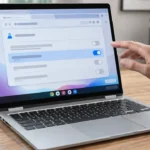


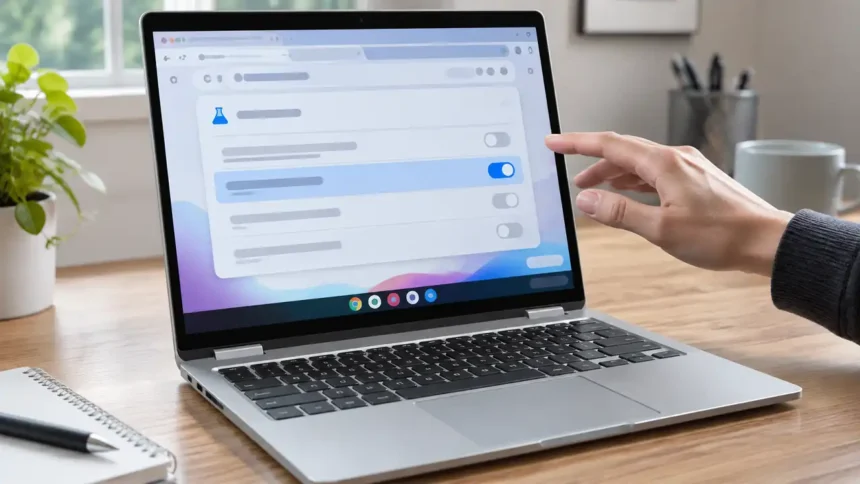
Touch-enabled Chromebooks are now common in Indian classrooms, offices, and homes. That brings a new problem: accidental taps that move your cursor, close tabs, or break your typing flow. Here is How to Turn Off Touchscreen on Chromebook in under two minutes, and why so many users in Bharat are searching for it this September.
Main Takeaways
- Search + Shift + T toggles the touchscreen once you enable a hidden Chrome flag.
- The setting takes about two minutes and needs no Developer Mode.
- Search + Shift + P does the same job for the touchpad.
Why are Chromebook users in Bharat searching for this now?
Touchscreen Chromebooks have moved into everyday use across India. Our analysis suggests the shift is driven by schools, budget buyers, and hybrid workers.
| Segment (India, 2026) | Common Touch Models | Main Use | Touch Complaint |
|---|---|---|---|
| Schools and colleges | Lenovo 300e, 500e | Online tests, assignments | Students tapping mid-exam |
| Small offices | HP Chromebook x360 | Docs, email, billing | Smudges and stray clicks |
| Home learners | ASUS Chromebook Flip | Classes, streaming | Kids touching the screen |
| Hybrid workers | Acer Chromebook Spin | Video calls, Sheets | Cursor jumps while typing |
If you’ve been following our coverage of regional tech gaps, like Apple Maps struggling with Indian listings, this won’t come as a surprise. Hardware spreads fast in Bharat. Software controls often lag behind.
How to Allow Safari to Access the Camera on Mac
Which method should you use?
The keyboard shortcut is the fastest method. It depends on a Chrome flag, so you enable that first.
| Method | Difficulty | Time | Reversible | Best For |
|---|---|---|---|---|
| Keyboard Shortcut | Easy | Seconds | Yes | Daily toggling |
| Chrome Flags | Medium | 2 minutes | Yes | First-time setup |
| Touchpad Shortcut | Easy | Seconds | Yes | Touchscreen-only use |
Lenovo confirms this flag-based method in its official Chromebook support guide.
How to Enable Webcam on Safari iOS
How do you turn off the touchscreen step by step?
Turning off the touchscreen takes four steps.
Follow them in order.
- Open the Chrome browser and type
chrome://flags/#ash-debug-shortcutsin the address bar. - Search “debugging keyboard shortcuts” in the flags box, then click Enable.
- Click Relaunch Now to restart Chrome and apply the change.
- Press Search + Shift + T to toggle the touchscreen off. Press it again to turn it back on.
Note: Press Search + Shift + P to disable your Chromebook’s touchpad instead.
Google can rename or retire flags in future ChromeOS builds. Check the Chromebook Help Center if the flag does not appear.
What are the shortcut keys to remember?
These shortcuts work only after the flag is enabled.
| Shortcut | Action |
|---|---|
| Search + Shift + T | Toggle touchscreen on/off |
| Search + Shift + P | Toggle touchpad on/off |
| Ctrl + Alt + / | Open the full shortcut list |
Google keeps an updated list on its Chromebook keyboard shortcuts page.
Valentine’s Day Red App Icons Free For iOS 14 Home Screen
What are the pros and cons of disabling touch?
Disabling touch improves focus. It also removes a useful input option.
| Pros | Cons |
|---|---|
| No accidental taps while typing | Tablet mode becomes less useful |
| Cleaner screen with fewer smudges | Stylus input stops working |
| Fewer distractions during exams | Flag may change after updates |
| Slightly better battery life | Some users forget it is off |
We found that students and office users benefit most. Tablet-mode users should keep touch enabled.
How to Turn Off Touchscreen on Chromebook in 2026 Touch-enabled Chromebooks are now common in Indian classrooms, offices, and homes. That brings a new problem: accidental taps that move your cursor, close tabs #Tech #Chromebook #Touch #screen https://t.co/Rjz445QeW2
— Considering Apple (@consider_apple) November 24, 2026
What does this mean for Apple users?
Many Indian households now mix Chromebooks with iPhones and Apple Watches. Small control tweaks like this matter across every device.
Apple users face similar fixes, from changing the Apple Maps voice to switching your Apple ID region. Industry insiders are noting the same pattern with the new watchOS 27 features: more power, more settings to manage.
What should you do next?
Enable the flag today and test Search + Shift + T once. If Chrome will not load the flags page, start with our guide to fixing Wi-Fi connection problems, since the same network checks apply.
Visit consideringapple.com for more stories.