



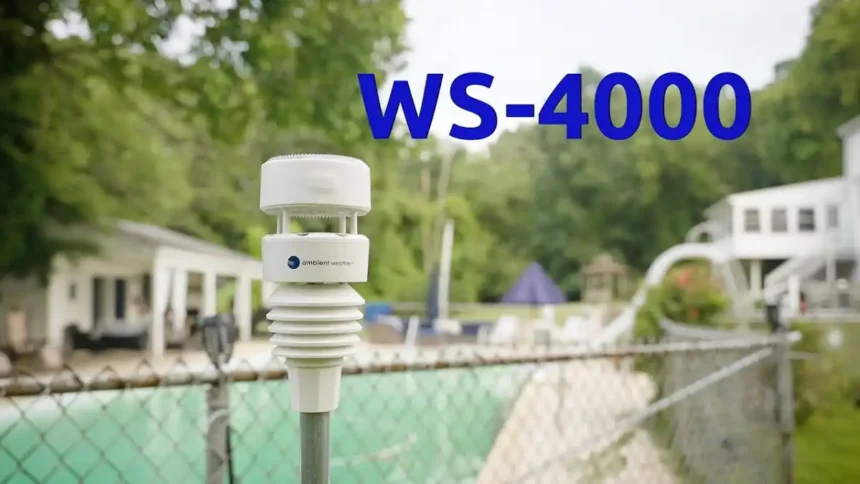
Weather watchers finally have a reason to point their attention outside this fall. The Ambient Weather Network Outdoor Wi-Fi Weather Camera landed at $114.99, and it pairs a wide-angle lens with 24-hour timelapse capture. Our analysis suggests it fills a real gap for anyone tracking sky conditions at home.
Key Takeaways
- The camera costs $114.99 and connects to the Ambient Weather Network for live sharing.
- It records 24-hour timelapse videos of sunrises, sunsets, and cloud formations.
- Setup runs over 2.4GHz Wi-Fi, so a stable home signal matters most.
What are the core specs and price?
The camera keeps its spec sheet simple. Here is the quick breakdown.
| Feature | Detail |
|---|---|
| Price | $114.99 |
| Model | WC-FMWAC2K |
| Connectivity | Ambient Weather Network (Wi-Fi) |
| Lens | Wide-angle field of view |
| Video | 24-hour timelapse |
| Usage | Outdoor |
| Wi-Fi band | 2.4GHz |
Check current stock on the Weather product page.
How does it compare to the solar model?
Two cameras share the same price point. We found the choice comes down to power and placement.
| Model | Price | Power | Best for |
|---|---|---|---|
| Outdoor Wi-Fi Camera | $114.99 | Wired | Fixed mounting near an outlet |
| Solar Wi-Fi Camera | $114.99 | Solar | Remote spots without power |
You can review both on the Weather camera lineup.
Android Phone: How to Cast to TV Easily
How do you set it up?
Setup takes a few minutes on a strong network.
Follow these steps in order.
| Step | Action |
|---|---|
| 1 | Mount the camera facing your preferred sky view |
| 2 | Connect power using the supplied cable |
| 3 | Download the Ambient Weather Network app |
| 4 | Join your 2.4GHz Wi-Fi in the app |
| 5 | Pair the camera and name your device |
| 6 | Enable timelapse and sharing |
- Mount the camera at a clear, elevated angle.
- Plug it into a nearby outlet.
- Install the Ambient Weather Network app.
- Select your 2.4GHz network, since the camera skips 5GHz.
- Confirm pairing and label the camera.
- Turn on timelapse capture and community sharing.
If pairing stalls, a shaky router is usually the reason.
Our team leaned on this fix for Wi-Fi connection issues to get a phone talking to the network again.
What are the pros and cons?
The camera does a few things very well.
It also has clear limits.
| Pros | Cons |
|---|---|
| Affordable at $114.99 | 2.4GHz Wi-Fi only |
| Easy app setup | Needs steady signal |
| Shareable timelapse | Wired power required |
| Wide-angle capture | Outdoor-only design |
Where does this fit for Apple households?
This camera lives outside Apple’s own ecosystem. If you have been following the Apple ecosystem, the timing lines up with a busy hardware season covered in the Apple September Event 2026 roundup.
You manage the feed from your phone, so a reliable handset helps.
Industry insiders are noting strong demand for home-monitoring gear this quarter. For a device that pushes footage to a laptop, our 15-inch MacBook Air M5 review shows how quickly clips render.
What should you watch out for?
Small issues can slow the first setup. Two fixes cover most of them. Sharing clips off your phone can stumble, and this AirDrop troubleshooting guide sorts out the common cause.
Water is the other risk near mounted gear, so the team’s advice on handling a wet iPhone is worth a read. For the newest coverage, see the latest ConsideringApple.com post: Your iPhone 17 Pro Went Through the Wash.
Our analysis suggests the camera earns its price for anyone who watches the sky daily. Next step: confirm your outdoor Wi-Fi reaches the mount point before you buy.
RELETIVE POST
- NetSpot iOS Download – Analyze and Improve Your WiFi Network
- How to Download Retroarch IPA on iOS
- Fix the Ryanair App Not Working on iPhone and Android
Visit consideringapple.com for more stories.