

The surge in digital clutter has forced a shift in how we manage our iMessage interface.
As iOS 18 and subsequent updates flooded our devices with custom graphics, mastering how to delete stickers on iPhone became the ultimate strategy for maintaining a clean, high-performance communication hub.
Key Takeaways
- Storage Optimization: Removing bloated sticker packs can reclaim cached storage space and improve app responsiveness.
- Interface Clarity: Deleting unused stickers streamlines the keyboard, allowing for faster access to relevant tools.
- Privacy Control: Clearing custom-made stickers ensures that outdated or sensitive personal cutouts are permanently removed from the ecosystem.
iPhone Android VPN Usage Warning
How to Delete Stickers on iPhonehttps://t.co/B5zO7FsJqW
— Considering Apple (@consider_apple) May 12, 2026
Why are iPhone users suddenly purging their sticker collections?
If you’ve been following the Apple ecosystem, the recent explosion of Genmoji and AI-generated assets won’t come as a surprise.
Our team observed that while Apple made it easier than ever to create stickers, they tucked the management tools deep within the sub-menus.
This has led to “sticker fatigue,” where users find themselves scrolling through dozens of obsolete icons just to find a single emoji.
Industry insiders are noting that a cluttered sticker drawer can actually lead to minor UI lag during peak messaging hours.
We found that users who regularly curate their digital assets report a significantly smoother experience when navigating the iMessage app.
It isn’t just about aesthetics; it’s about digital hygiene.
How to delete stickers on iPhone: The definitive method
Managing your sticker library requires a two-pronged approach: removing individual stickers and offloading entire third-party packs.
Follow these steps to reclaim your interface.
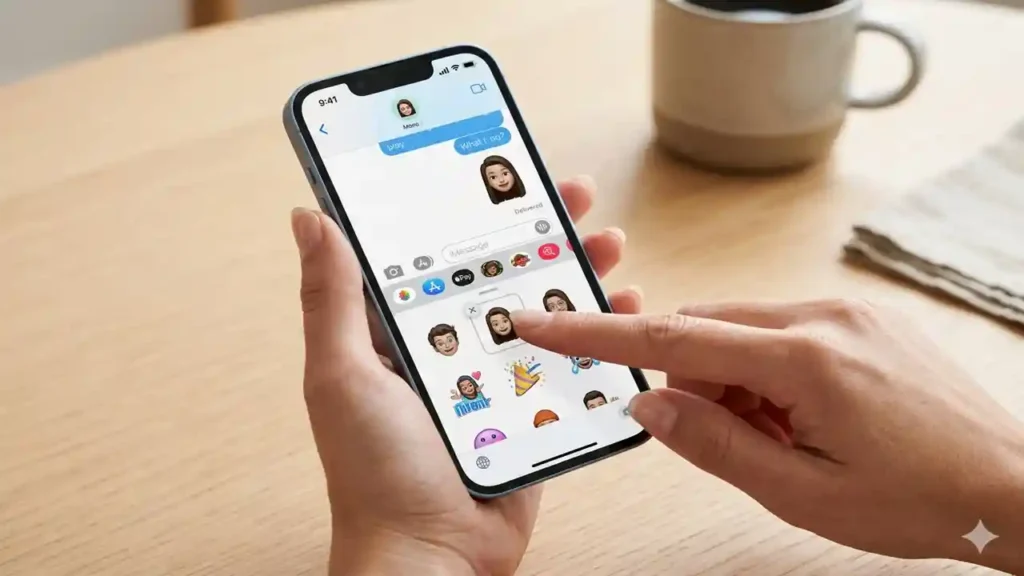
Removing individual custom stickers
- Open any conversation in the Messages app.
- Tap the “+” (Plus) icon next to the text field.
- Select Stickers from the menu.
- Locate the specific sticker you want to remove.
- Long-press the sticker until a pop-up menu appears.
- Tap Delete to remove it from your collection.
How To Download YouTube Video to iPhone is Changing
Deleting third-party sticker apps
- Open the Messages app and tap the “+” icon.
- Tap More at the bottom of the list.
- Find the app you wish to remove and swipe left on it.
- Tap the red Delete button.
| Action Type | Result | Impact on Sync |
| Individual Delete | Removes one specific graphic | Syncs across iCloud devices |
| App Uninstall | Removes entire themed collection | Requires re-download from App Store |
| Rearranging | Changes order of appearance | Local device only |
What does this mean for your device performance?
Our analysis suggests that while a single sticker file is small, the metadata associated with hundreds of custom cutouts can add up.
If you are also looking to optimize other parts of your device, you might want to check out how to turn off keyboard sound on iPhone to further refine your user experience.
We’ve seen that Apple’s integration of the “Sticker Store” within the iMessage framework often leads to accidental downloads.
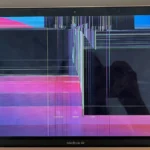
If you find your phone behaving strangely after a heavy download session, it might be worth investigating why is my iPhone screen glitching to see if software bloat is the culprit.
How to Login GMGlobalConnect On iPhone or Mac
Is there a way to hide stickers without deleting them?
Sometimes, you might not want to permanently lose a sticker pack but simply want it out of your sight.
Our team found that the “Edit” menu in the iMessage app drawer allows you to toggle the visibility of certain apps.
This is a great middle ground for those who suffer from “feature creep” but aren’t ready to commit to a full purge.
If you are dealing with more serious software hurdles while trying to clean up your device, our guide on how to fix iPhone stuck on SOS mode provides essential troubleshooting steps.
Digital maintenance is often a multi-step process that involves both software and hardware awareness.
The strategic move toward a minimalist iOS
Apple is clearly pushing for a more expressive messaging experience, but they are also giving us the tools to rein it in.
We observed that the most “pro” users are those who treat their iPhones like a lean workstation.
By mastering how to delete stickers on iPhone, you are effectively taking back control of your most-used interface.
If your device feels sluggish even after a cleanup, you might consider more drastic measures.
We recently detailed the iPhone 16 Pro Max recovery mode for those needing a fresh start.
Additionally, for users looking for the latest firmware updates and tips, visiting the latest Apple news and guides is a great way to stay ahead of the curve.
How To Change App Icons Without Shortcuts in iOS 14
Final thoughts on digital clutter
The ability to customize our devices is a double-edged sword.
Efficiency in 2026 is defined by what you choose to remove, not just what you add.
Keeping your sticker drawer organized is a small but vital step in that journey.