



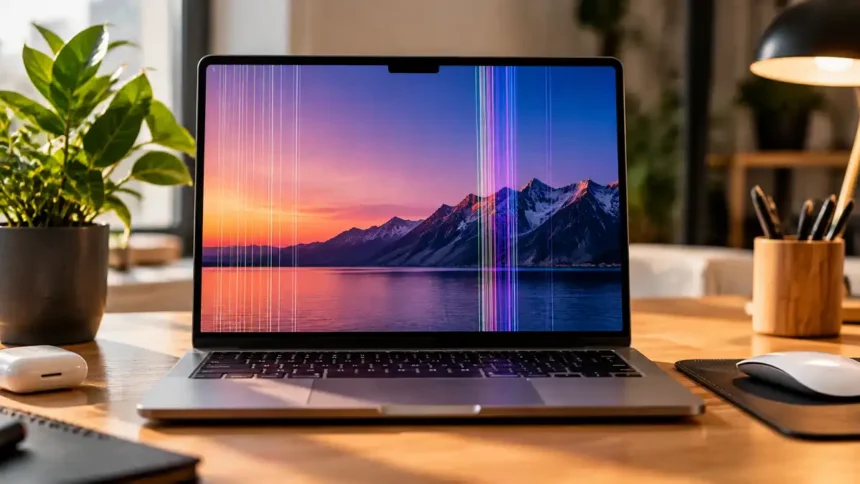
macOS 27 Golden Gate arrived this September, and Mac owners across Bharat keep asking the same thing: why does my Mac screen have lines? We tracked the causes and easy fixes so you can tell a five-minute glitch from an expensive repair.
Key Takeaways
- Lines that show up on an external monitor usually point to software or graphics, not your built-in screen.
- A restart and a macOS 27 update clear many software-driven glitches.
- Out-of-warranty display repairs in India can run from ₹8,000 to over ₹1,20,000.
What Causes Lines on a Mac Screen?
Our analysis suggests most cases fall into five clear patterns. Not every line means your display is dying.
| Line Type | Likely Cause | DIY Fix Possible? | Bharat Repair Cost (INR, approx.) |
|---|---|---|---|
| Flickering horizontal lines | Graphics glitch or app bug | Yes | ₹0 |
| Lines after waking from sleep | macOS or settings conflict | Yes | ₹0 |
| Lines that shift with lid angle | Worn display flex cable | No | ₹8,000 to ₹25,000 |
| Fixed vertical colored lines | Faulty panel or connector | No | ₹35,000 to ₹1,20,000 |
| Lines with cracks or spots | Physical or liquid damage | No | ₹40,000 to ₹1,20,000+ |
Costs vary by model and repair center, so always confirm a quote first.
Is It a Software or Hardware Problem?
If you’ve been following the Apple ecosystem, this won’t come as a surprise. Display complaints often spike after a major update, much like the orange discoloration on MacBook Pro screens we covered this month.
| Factor | Software Issue | Hardware Issue |
|---|---|---|
| Visible in screenshots | Yes | No |
| Visible on external monitor | Often yes | No |
| Changes when lid moves | No | Often yes |
| Visible during startup | Rarely | Yes |
| Fixed by restart or update | Usually | No |
Settings quirks on new hardware are common too.
Our fix for the pink pointer color not appearing on MacBook Neo showed how small software bugs can look like bigger faults.
How Do You Fix Lines on a Mac Screen?
Try these software fixes in order before booking a repair.
- Restart your Mac. Choose Apple menu > Restart, then check if the lines return.
- Update to macOS 27. Open System Settings > General > Software Update and install any pending patch.
- Reset NVRAM (Intel Macs only). Shut down, then power on while holding Option + Command + P + R for about 20 seconds. Apple silicon Macs reset this automatically on restart.
- Check display settings. Go to System Settings > Displays and try a different resolution, refresh rate, or True Tone setting.
- Connect an external monitor. A clean external picture means the fault sits in your built-in display.
| Fix Step | Action | Difficulty | Time Required |
|---|---|---|---|
| 1 | Restart | Easy | 2 minutes |
| 2 | Update macOS 27 | Easy | 20 to 40 minutes |
| 3 | Reset NVRAM | Medium | 3 minutes |
| 4 | Adjust display settings | Easy | 5 minutes |
| 5 | External monitor test | Easy | 5 minutes |
Our team observed that threads on Apple Discussions consistently recommend the external monitor test first. If your Mac also drags at startup, our guide on how to fix a slow boot Mac may help with both problems.
When Should You Visit a Repair Center?
Book a service visit if:
- Lines remain after all five steps.
- Lines move when you tilt the lid.
- You see cracks, spots, or signs of liquid damage.
Check your warranty or AppleCare+ status on Apple Support before paying out of pocket. A covered repair can save you tens of thousands of rupees. It’s the same “test first, repair second” approach we suggested for AirPods Pro 3 microphone problems during calls.
What Else Is New on ConsideringApple?
Our latest post explains how to block a mobile number on iPhone as spam calls rise across Bharat. We’ll keep tracking macOS 27 display reports and update this story as Apple responds.
RELETIVE POST
- Mac Screen Purple Lines: What’s Causing Them and How to Fix the Problem
- How to Allow Safari to Access the Camera on Mac
- How To Undo On Mac
- Why is there a purple line on my iphone
Visit consideringapple.com for more stories.