

Why Is “Apple Vision Pro Setup” Downloaded On My Iphone.: Why Is “Apple Vision Pro Setup” Downloaded on Your iPhone? Here’s What’s Actually Going On
→ Apple iPhone 17e Unlocked by RedPocket Mobile: What to Know
If you’ve recently spotted an app called “Apple Vision Pro Setup” sitting on your iPhone without any memory of downloading it, you’re not alone. It’s one of those small discoveries that can feel oddly alarming, especially when Apple products are involved. The good news is that there’s a straightforward explanation, and it’s nothing to worry about.
It Came From Apple, Not From Somewhere Suspicious
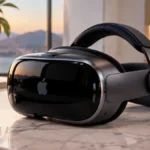
The Apple Vision Pro Setup app is an official Apple application, and it appears on iPhones automatically in certain situations. Apple pushes it to devices as part of the preparation process for pairing an iPhone with the Apple Vision Pro headset. Think of it the way you’d think about the Apple Watch app that lives on your iPhone. You may not have asked for it, but it’s there because the two devices are designed to work together, and your iPhone is the hub that makes that connection happen.
→ Why RedPocket’s Unlocked iPhone 17 Pro Is Trending
This kind of silent, automatic installation is part of how Apple manages its ecosystem. When a new device category launches or when iOS updates roll out, Apple sometimes pre-installs companion apps or setup utilities in the background. You don’t get a notification, and you don’t have to approve it. It just appears.
Why It Showed Up on Your Specific iPhone
There are a few reasons you might be seeing it now rather than earlier.
The most common trigger is an iOS update. Apple has been bundling the Vision Pro Setup app alongside certain iOS releases, meaning it lands on your device as part of the update rather than as a separate download you initiated. If you recently updated to a newer version of iOS and then noticed the app, that’s almost certainly the connection.
It can also appear if someone in your household owns an Apple Vision Pro and your Apple ID or device has been associated with that setup process in any way. The app is lightweight and doesn’t run in the background consuming battery or data, so even if it showed up unexpectedly, it isn’t doing anything on its own.
What the App Actually Does
The Apple Vision Pro Setup app exists for one purpose: helping you get the Vision Pro headset configured and ready to use. When you put on the headset for the first time, it needs to connect to an iPhone to complete the initial setup, import your Apple ID, sync your settings, and get your eye and hand calibration done. Your iPhone runs the companion app during that process to facilitate the handoff.
If you don’t own a Vision Pro, the app is essentially dormant. It takes up a small amount of storage but does absolutely nothing in the background. There are no permissions running, no data being collected, and no ongoing processes tied to it.
Should You Delete It?
That’s entirely up to you. If you have no plans to use an Apple Vision Pro, there’s no practical reason to keep it. You can delete it the same way you’d remove any other app: press and hold the icon, tap “Remove App,” and confirm. It won’t affect your iPhone’s performance or any other apps.
The one thing worth knowing is that if you ever do get a Vision Pro, the app will either need to be re-downloaded or may reinstall automatically. Apple makes it available for free on the App Store, so getting it back takes about ten seconds.
A Broader Pattern Worth Understanding
This isn’t the first time Apple has quietly pushed an app to iPhones without an explicit user request. The Apple TV Remote app, the Tips app, and various other first-party utilities have all appeared on devices following updates over the years. Apple’s rationale is that these apps support core functionality across its product line, so having them ready before a user needs them reduces friction.
Whether that approach feels convenient or intrusive probably depends on how you feel about Apple’s general philosophy around its ecosystem. Either way, the Apple Vision Pro Setup app is exactly what it says it is, an official setup utility, and finding it on your iPhone is a sign of an automatic system process rather than anything going wrong.
If it bothers you, delete it. If you’re curious about what the Vision Pro itself is capable of, it might be worth leaving it there.
Relevant posts
- How Do I Locate My Missing iPhone 17 Pro Max?
- How to Avoid Green Screen on iPhone 13
- How to fix selfie camera bug on iPhone 16 Plus after iOS 26.6.2 update?
Visit consideringapple.com for more stories.