

Second Hand Mac Keyboard: Second Hand Mac Keyboard: What to Check Before You Buy (And What to Avoid)
→ Apple September Event 2026: iPhone 18 Pro, a Foldable iPhone, and the Biggest Hardware Drop in Years
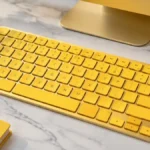
Apple keyboards have a reputation for lasting years, which is exactly why the second-hand market for them is so active. A used Apple Magic Keyboard can sell for 40% to 70% less than a new one, and for many buyers, that gap is hard to ignore when the retail price sits around $100 or more. But buying one without knowing what to look for is where people run into trouble.
→ Apple Pay Security Notice Text: How to Spot the Scam Before It Costs You
This guide covers everything you need to know before spending money on a second-hand Mac keyboard, from spotting the right model to testing it before you commit.
Why the Used Market for Apple Keyboards Is Worth Taking Seriously
Apple keyboards are built to a standard that holds up over time. The Magic Keyboard’s scissor-switch mechanism and aluminum body tend to age well, and many units change hands after barely being used. Someone upgrades their Mac, gets a new keyboard in the box, and the old one ends up on eBay or Facebook Marketplace in near-perfect condition.
That said, the used market also attracts counterfeit products, models with failing batteries, and keyboards that look fine in photos but have sticky keys or dead Bluetooth connections by the time they reach you. Knowing the difference between a solid deal and a money pit comes down to asking the right questions before you buy.
Getting the Model Right First
Not all Apple keyboards are interchangeable, and this is where many buyers go wrong. There are a few things to sort out before anything else.
Wired vs. wireless: Older Apple keyboards used a USB-A connection, while current Magic Keyboards charge via Lightning or USB-C and connect over Bluetooth. If your setup involves a USB hub or you prefer a wired connection, an older model might actually suit you better. If you want wireless, make sure you are buying a genuine Magic Keyboard, not a legacy model someone is passing off as one.
Touch ID support: Touch ID on a standalone keyboard only works with Apple Silicon Macs (M1 and later) and only on the specific Magic Keyboard models designed to include it. If you are buying a used keyboard hoping to get Touch ID functionality, confirm the exact model number matches one that supports it. The seller may not know the difference.
Layout and language: This sounds obvious, but it catches people out regularly. A keyboard bought from another country may have a different layout than what you are used to. Always ask the seller to confirm the layout, and check the photos carefully for any non-standard key positions.
Numeric keypad: The Magic Keyboard comes in a compact version and a version with a numeric keypad. They are priced differently and serve different users. Know which one you need before searching.
What to Check on Condition
Once you have identified the right model, the physical and functional condition of the keyboard is what determines whether the price is actually a deal.
Battery health: This is the biggest concern with used wireless keyboards. Unlike MacBook batteries, you cannot easily check a Magic Keyboard’s battery health through software, and sellers rarely know it themselves. A keyboard that charges fully but drains in a day or two is frustrating to use. Ask the seller how often they charged it and whether the charge holds. If you are buying in person, bring a cable and test it.
Key feel and wear: High-use keys like the spacebar, return key, and vowels show wear first. Shine on keycaps is cosmetic and does not affect function, but it can feel unpleasant over time. More importantly, press every key if you can. A sticky or unresponsive key is a red flag, and replacing individual keycaps on an Apple keyboard is not straightforward.
Bluetooth pairing: Ask the seller to demonstrate that the keyboard pairs cleanly with a device. Bluetooth issues can be intermittent, which makes them hard to catch, but a keyboard that refuses to pair or drops connection during a short test is worth walking away from.
Cosmetic damage: Scratches and minor scuffs are normal on used hardware and rarely affect performance. Cracks near the charging port or bent corners are worth factoring into your offer, as they suggest the keyboard was not handled carefully.
Where to Buy and What to Watch Out For
eBay is the largest marketplace for used Apple keyboards and usually has the widest selection. Stick to sellers with strong feedback scores and read the negative reviews specifically. Listings with multiple clear photos and a listed model number are generally more trustworthy than vague descriptions.
Facebook Marketplace often has better prices because sellers are local and avoid shipping. You can inspect the keyboard in person, which removes most of the guesswork. The trade-off is a smaller selection and no buyer protection if something goes wrong.
Refurbished electronics stores charge more than private sellers but typically test their stock and offer short warranties. If paying a bit more gives you peace of mind, this is worth considering, especially for something you will use every day.
What to avoid: Be cautious of listings that do not show the actual product, use stock photos, or describe the keyboard as “Apple compatible” rather than a genuine Apple product. Counterfeit Magic Keyboards exist, and they usually fail quickly. If a price seems too low to be real, it probably is.
Getting a Fair Price
A used Apple Magic Keyboard in good condition typically sells for $30 to $60 depending on the model and where you buy it. Models with a numeric keypad or Touch ID support command higher prices. Anything significantly below that range deserves extra scrutiny. Anything priced close to new retail is not much of a deal unless it comes with some form of warranty or guarantee.
Factor in shipping costs if you are buying online, and account for the fact that Apple no longer offers warranty coverage on products sold through third parties. What you pay is what you get, so negotiating based on visible wear or missing accessories is completely reasonable.
The Bottom Line
A second-hand Mac keyboard can be a genuinely smart purchase, but only if you go in knowing what model you need, what condition issues to look for, and where the real risks sit. Battery health and Bluetooth reliability are the two things most likely to cause regret later, so prioritize those in any conversation with a seller. Get the model number confirmed, test it if you can, and buy from a seller with a track record. Do that, and you are likely to end up with a keyboard that performs just as well as a new one for a fraction of the price.
Relevant posts
- watchOS 27: Every New Feature Coming to Apple Watch This Year
- iPhone 16 Pro Max Price Drop: What It Actually Costs Now and Whether It’s Worth Buying
- Fix iPhone Not Connecting to Wi-Fi
Visit consideringapple.com for more stories.