

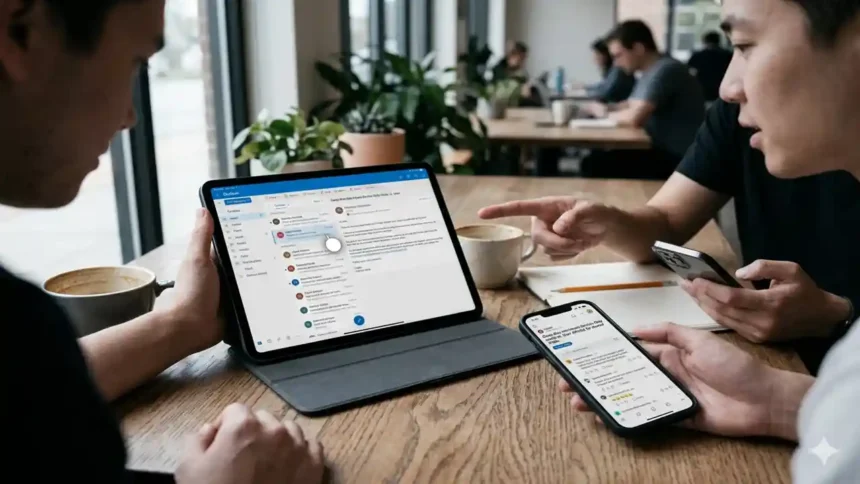
The current surge in discussions surrounding intune no user affinity and outlook on ipad reddit threads highlights a critical friction point: how do we provide a seamless email experience on a device that technically belongs to “no one”?
Our team observed that many sysadmins are hitting a wall where Conditional Access and MFA requirements clash with the streamlined nature of userless enrollment.
Why iOS 18.7.1 iPhone Release Notes Matter for You
Key Takeaways
- Affinity vs. Access: “No User Affinity” is designed for kiosks or shared tools, but Microsoft Outlook often demands a primary user identity to function securely.
- The Reddit Consensus: Most users on Reddit suggest using Microsoft Entra Shared Device Mode to bridge the gap between “userless” hardware and “user-centric” apps.
- Compliance is King: Without a primary user, iPads often show up as “N/A” in compliance logs, which can inadvertently trigger blocks in your security perimeter.
Why is Intune No User Affinity causing Outlook headaches?
If you’ve been following the Apple ecosystem, this won’t come as a surprise: Apple’s Shared iPad for Business and Microsoft’s Intune don’t always speak the same language.
When you enroll an iPad with No User Affinity, Intune treats the hardware as a generic asset.
However, Outlook is built on the assumption that an identity is already present.
Industry insiders are noting that when users attempt to sign into Outlook on these devices, they are frequently met with endless MFA loops or “Device Not Compliant” errors.
This is because the device lacks a “User-Device” relationship in Entra ID, making it nearly impossible for traditional Conditional Access policies to verify the login.
To understand the broader landscape of iPad management, you might want to look into how to fix iPad stuck on the Apple logo if these deep-level configuration changes cause boot issues during testing.
Real Reason Intune No User Affinity and Outlook on iPad Reddit is Trendinghttps://t.co/GaLkzJqW76
— Considering Apple (@consider_apple) April 28, 2026
FBI Warns iPhone and Android Users of Smishing Texts Scams
Comparison: Enrollment Methods for Shared iPads
Our analysis suggests that choosing the wrong enrollment profile is the #1 cause of the “Reddit-level” frustration.
Here is how the primary methods stack up for 2026 deployments:
| Feature | No User Affinity (Standard) | Entra Shared Device Mode | User Affinity (1:1) |
| Primary Use | Kiosks / Digital Signage | Shift workers / Shared iPads | Personal Corp Devices |
| Outlook Experience | Manual login every time | Single Sign-On (SSO) Support | Persistent Login |
| Security | Harder to enforce per-user CA | Supports Conditional Access | Full Compliance support |
| Setup Effort | Low | Moderate (Requires Authenticator) | High (User-driven) |
What does this mean for Apple users in a shared environment?
The core of the issue found in intune no user affinity and outlook on ipad reddit discussions is the “Identity Gap.”
If you are managing a fleet of iPads for a retail floor or a hospital, you likely want the device to remain “clean” between users.
However, the Microsoft Authenticator app is often required to act as the broker for these logins.
We found that many organizations are now moving away from pure “No User Affinity” and toward Microsoft Entra Shared Device Mode.
This allows a user to sign in once, and have that identity propagate across Outlook, Teams, and Edge.
If you find that your devices are becoming unresponsive during these heavy policy syncs, check out our guide on how to fix iPad frozen and won’t turn off to keep your hardware running smoothly.
The iPhone 17 Pro Spigen Ultra Hybrid Wobble Test Matters
Step-by-Step: Configuring Outlook for No User Affinity iPads
If you must use the “No User Affinity” model, follow these steps to ensure Outlook doesn’t fail on the first login.
- Exclude Shared Devices from MAM-WE: Ensure your Mobile App Management (without enrollment) policies are not targeting these devices, as they often lack the “Managed” flag in Entra.
- Deploy Microsoft Authenticator: Even without user affinity, the Authenticator app must be present on the iPad to handle the “Broker” requests for Outlook.
- Adjust Conditional Access Filters: Create a filter for devices where
device.enrollmentProfileNamematches your shared profile and set the policy to “Allow” or “Require MFA” specifically for that group. - Use App Configuration Policies: In Intune, create an App Configuration Policy for Outlook.Set the key
IntuneMAMAllowedAccountsOnlyto Enabled if you want to restrict the app to corporate accounts only. - Verify Compliance Status: Since “No User Affinity” devices often show as “N/A” for compliance, you may need to fix iPad keeps restarting issues that stem from conflicting policy pushes.
Is there a better way to manage shared Apple devices?
Our team observed that the most successful deployments in 2026 utilize Automated Device Enrollment (ADE) combined with a “Shared iPad” configuration in Apple Business Manager.
This allows for “Guest” sessions and “Managed Apple ID” sessions that play much nicer with the Microsoft 365 stack.
If you are just starting your journey with Apple hardware, you might also be interested in the latest iPad Pro M4 deals for your executive team who do require 1:1 user affinity.
Furthermore, for those looking at the future of the ecosystem, the Apple March Event 2026 showcased new ways Intune will integrate with the next generation of iPadOS.
Why Buzzballz Forbidden Apple PL is Trending Right Now
The Bottom Line
Solving the intune no user affinity and outlook on ipad reddit puzzle requires a shift in perspective.
Stop treating the iPad as a “userless” tool and start treating it as a “multi-user” platform.
By leveraging Entra filters and the Authenticator broker, you can finally give your shift workers the email access they need without compromising the security of your tenant.