

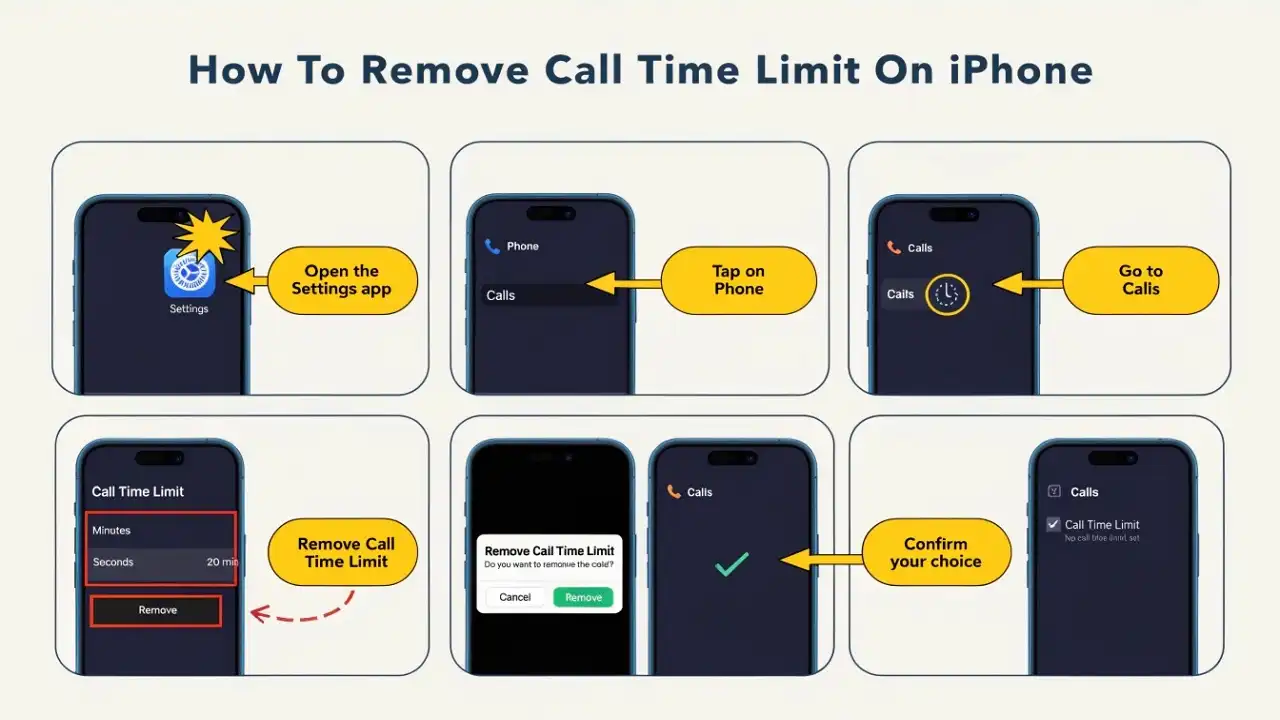
If you are tired of the Screen Time limit on your iPhone and looking for a way to remove the restriction, we will show you how to remove call time limit on your iPhone.
If you want to remove 1 hour or 2-hour call limit on iPhone, you should make sure that you know the Screen Time passcode to clear the screen time call limit and add it again.
You can also change the screen time limit follow the same steps.
How To Cancel Apple Music Subscription on iPhone, Mac, Or PC
How To Remove Call Time Limit On iPhone in iOS 15
Note: Make sure that you are using iPhone with iOS 15 update.
- Open the Settings app on your iPhone.
- Next, tap on Screen Time.
- Select App Limits option.
- Under the App Limit section, select phone or Add limit you want to remove.
- Enter the Passcode.
- Now tap on Delete Limit.
- Again the, tap on Delete Limit popup to confirm the action.
That’s it.
Once you have followed the above steps, there won’t be any limit to using any iPhone app or action. However, it would be better to add a limit again for the
same action to avoid being caught by my parents. So go through the same steps to add the limit again on your iPhone.
If you need more tips regarding the same topic, you can freely ask us through the comment box. I hope you enjoyed the post. Stay tuned for more tips and news about Apple gadgets.


![How To Retrieve Or See Deleted Messages On iPhone [100% Working]](https://consideringapple.com/wp-content/uploads/2026/03/How-To-Retrieve-Or-See-Deleted-Messages-On-iPhone-100-Working-150x150.webp)