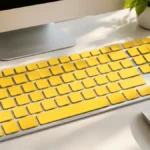


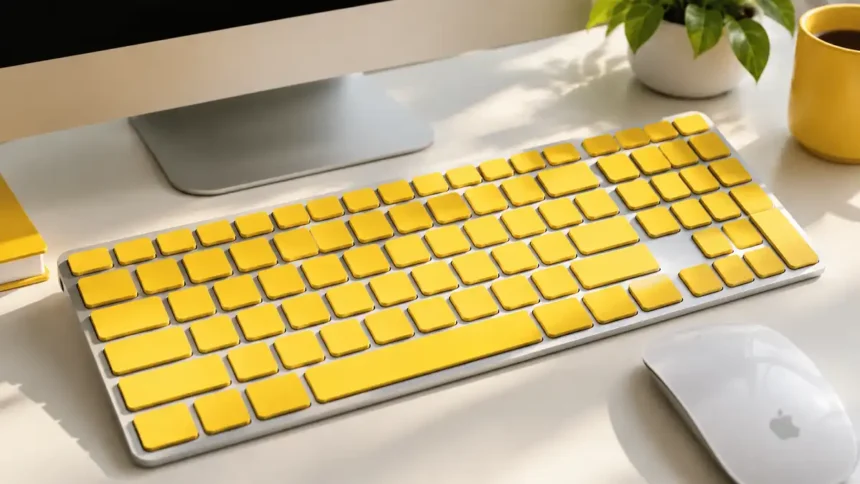
Mac users with low vision want keys they can actually see, and this fall that demand has a clear focus. The Large Print Keyboard macOS US English Yellow Apple Magic Keyboard setup is drawing fresh attention as macOS 27 rolls out and Apple puts accessibility front and center.
Key Takeaways
- Yellow keys with bold black letters offer the highest contrast for low-vision typing on a Mac.
- Most buyers pair a standard Apple Magic Keyboard (US English) with large-print keycap overlays or a large-print Mac layout keyboard.
- Setup takes under five minutes and needs no extra software.
Why Is This Keyboard Trending Right Now?
Our analysis suggests three forces are at work. Apple’s May 2026 accessibility update, an aging Mac user base, and a home office boom are all pushing high-contrast gear into the spotlight.
If you’ve been following the Apple ecosystem, this won’t come as a surprise. Apple’s own Accessibility hub now lists assistive accessories right next to VoiceOver and Voice Control.
| Trend Driver | What We Observed |
|---|---|
| Accessibility push | Apple expanded vision features in May 2026 |
| macOS 27 launch | Users are refreshing desk setups this fall |
| Older adult users | Apple added dedicated older adult resources |
| Display complaints | Screen issues sent users looking for easier-to-read hardware |
On that last point, our recent report on orange discoloration on MacBook Pro screens showed how visibility problems frustrate users.
Second Hand Mac Keyboard: What to Check Before You Buy (And What to Avoid)
What Exactly Are You Getting?
| Spec | Details |
|---|---|
| Layout | US English (ANSI) |
| Key color | Bright yellow with bold black characters |
| Font size | Roughly 3 to 4 times standard legend size |
| OS support | macOS (Command, Option, and Control keys labeled) |
| Base keyboard | Apple Magic Keyboard, USB-C |
| Connection | Bluetooth, auto-pairs over USB-C |
How Much Does It Cost?
Pricing depends on whether you buy a full keyboard or add overlays to one you already own. Prices below are approximate US figures.
| Option | Approx. Price | Best For |
|---|---|---|
| Magic Keyboard (USB-C) | $99 | Base keyboard |
| Magic Keyboard with Touch ID | $149 | Apple silicon Macs |
| Touch ID + Numeric Keypad | $179 | Spreadsheets, data entry |
| Yellow large-print overlays | $10 to $25 | Existing Magic Keyboard owners |
| Third-party large-print Mac keyboard | $30 to $80 | Budget buyers |
What Are the Pros and Cons?
| Pros | Cons |
|---|---|
| Maximum contrast in bright or dim rooms | Overlays can wear on high-use keys |
| No software or drivers required | Yellow clashes with silver desk setups |
| Works with Touch ID models | Few official Apple color options |
| Helps beginners and older users | Function row labels stay small on some kits |
iOS Emoji Copy and Paste : How to Get iOS Emojis on Android
How Do You Set It Up on macOS?
We tested this flow on a Mac running macOS 27. It follows Apple’s official Bluetooth pairing guide.
- Connect the USB-C cable from the keyboard to your Mac.
- Switch on the keyboard and confirm the power switch shows green.
- Wait for the notification, then unplug the cable to go wireless.
- Open System Settings > Keyboard > Input Sources and confirm U.S. is selected.
- Apply overlays (if using them), starting with the home row for alignment.
- Turn on Hover Text in System Settings > Accessibility for extra on-screen magnification.
If your Mac feels sluggish after setup, try our fixes for a slow boot Mac.
What Does This Mean for Apple Users?
Industry insiders are noting that accessibility gear is becoming mainstream gear. A high-contrast keyboard helps anyone who works long hours, not just users with low vision.
Building an accessible desk? Our guide on adding a printer to your Mac covers the next step. Privacy matters too. We recommend reviewing how to block tracking on your iPhone across your devices.
Latest from Considering Apple: AirPods Pro 3 Microphone Not Working During Calls? Here’s How to Fix It
Visit consideringapple.com for more stories.