



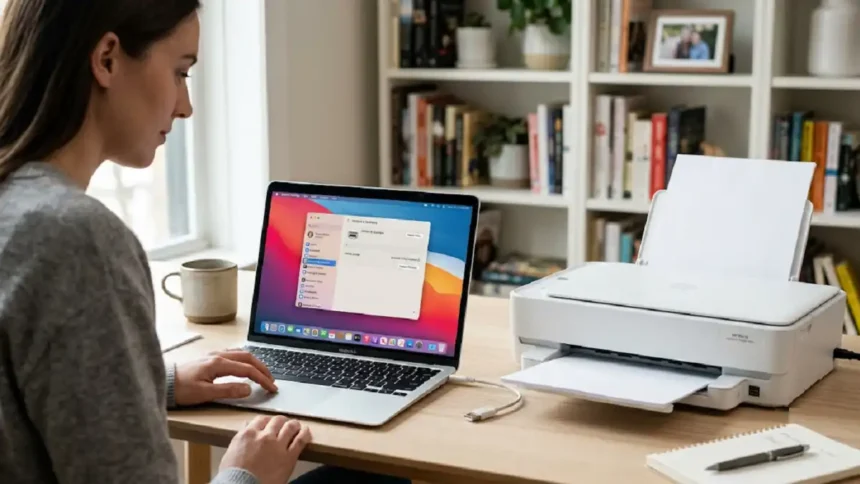
Printer setup questions are spiking again this September as macOS Tahoe 26 rolls out to more machines. If you just bought a Mac or a new printer, learning how to add a printer to Mac takes less than five minutes. Our analysis suggests most people overthink it. The truth: macOS does the heavy lifting for you.
Key Takeaways
- AirPrint connects most printers with zero drivers needed.
- All roads lead to one place: System Settings > Printers & Scanners.
- Wi-Fi, USB, Bluetooth, and IP setups each take under a minute.
What is the fastest way to add a printer?
The fastest way is through Printers & Scanners in System Settings. Considering Apple Mac
Here is the core process:
- Turn on your printer and load paper and ink.
- Open System Settings on your Mac.
- Click Printers & Scanners in the sidebar.
- Select Add Printer, Scanner, or Fax.
- Choose your printer from the list, then click Add.
That’s it for most AirPrint printers (Apple’s built-in printing tech that skips extra software). If you get stuck mid-setup, our guide on how to undo on Mac helps you reverse a wrong step fast.
Apple MacBook Neo Now Available Under Rs 39900 is Trending
Which connection method should you use?
Pick the connection that matches your hardware. We broke down the four options below.
| Method | Best For | Setup Time | Driver Needed? |
|---|---|---|---|
| Wi-Fi | Home and office | ~1 min | No (AirPrint) |
| USB | Direct, single Mac | ~1 min | Sometimes |
| Bluetooth | Portable printers | ~2 min | Sometimes |
| IP Address | Network/shared | ~3 min | Depends |
USB users with a single-port MacBook need a multiport adapter. That newer 15-inch MacBook Air M5 is a good example of a machine where an adapter saves you.
Where Can I Watch Love Island? Streaming Guide 2026
— Considering Apple (@consider_apple) September 15, 2026
If you just bought a Mac or a new printer, learning how to add a printer to Mac takes less than five minutes. Our analysis suggests most people overthink it. https://t.co/GWy607DvR1
How do you add a printer by IP address?
Adding by IP address works when your printer won’t show up automatically. Click the IP button in the Add Printer window, then match the right protocol.
| Protocol | Use It For |
|---|---|
| AirPrint | Modern Brother, Canon, Epson, HP |
| IPP | Newer network printers |
| LPD | Older printers and servers |
| HP Jetdirect | HP and many other brands |
You’ll need the printer’s IP address and queue name. Ask whoever manages the network if you don’t have them.
Black And White TikTok Logos for iPhone
What if your Mac can’t find the printer?
Most detection problems come from network or software gaps. We found these quick fixes solve the majority of cases.
| Problem | Quick Fix |
|---|---|
| Printer not listed | Confirm Mac and printer share the same Wi-Fi |
| Setup stalls | Run Software Update from Spotlight |
| Still missing | Reset the printing system, then re-add |
| Wrong colors | Reinstall the correct driver profile |
For color-critical work, see our walkthrough on using an ICC color profile from a user folder. Wireless printers rely on a stable connection, and connection headaches aren’t unique to printers. If your Mac drops other devices too, our fix for AirDrop not working on ‘Contacts Only’ covers similar network resets.
Comporium Webmail Login Process on iPhone or Mac
The bottom line
Adding a printer to your Mac is a five-minute job once you know the path. Start with AirPrint over Wi-Fi. Fall back to USB, Bluetooth, or IP only if needed. Industry insiders are noting that Apple keeps making this simpler with each release.
For deeper detail, check the official Apple Support printer guide or the HP Mac setup page. And if water is your real problem, not printing, our latest post on what to do when your iPhone 17 Pro goes through the wash is a must-read this week.
- Large Print Keyboard macOS US English Yellow Apple Magic Keyboard
- The Real Reason Jeffrey Dean Morgan Movies and TV Shows Trend Now
- Why Sybaritic Boutique Women’s Little Camera Crossbody Bag in 2026
- Why Orange Discoloration on MacBook Pro Screen Is Trending
- Why Spectra Home Tamara Day Warwick Poem Apple Chair Wins
Visit consideringapple.com for more stories.