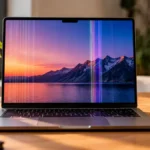




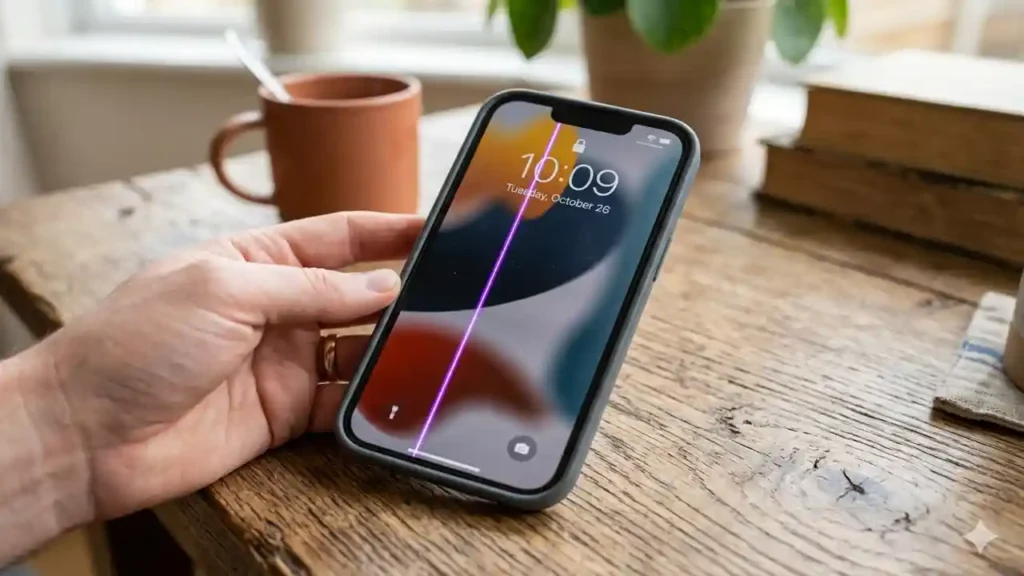
If you are staring at a bright neon stripe cutting through your apps, you are likely asking: why is there a purple line on my iphone? This visual anomaly points to specific underlying display pressure points that every modern smartphone owner needs to understand.
Key Takeaways
- OLED Pixel Failure: The neon stripe is almost always caused by damage to a single column of sub-pixels on OLED panels.
- Hardware Over Software: While occasional software bugs happen, a persistent line usually requires a physical component fix.
- Warranty Paths: If your device lacks external damage, a manufacturing defect might allow you to get a free screen replacement.
Why Is This Screen Glitch Surging Right Now?
Industry insiders are noting that recent drops, sudden temperature fluctuations, and subtle battery swelling are triggering this distinct issue. We found that the phrase why is there a purple line on my iphone is trending because users frequently mistake a deep hardware breakdown for a simple software freeze.
Modern Apple screens rely on organic light-emitting diode (OLED) infrastructure. When an electrical supply line to a row of pixels breaks or shorts out, that entire column illuminates with maximum intensity, firing only its blue and red sub-pixels to cast a permanent violet beam.
Our analysis suggests that this can occur even without a shattered front glass. A minor drop onto a carpeted floor can loose internal connections without scuffing the exterior. For deeper details on tracking your device hardware health, check out ConsideringApple.com.
| Primary Cause | Internal Mechanism | Typical Fix |
|---|---|---|
| Physical Dropping | Breached or cracked OLED substratum | Complete Display Swap |
| Flex Cable Shift | Loose digitizer logic board connector | Reseat Internal Cables |
| Liquid Intrusion | Micro-corrosion on lower display circuitry | Component Replacement |
| Battery Swelling | Under-screen pressure forcing pixel rows open | Battery and Screen Fix |
What Does This Mean For Your Apple Ecosystem?
If you have been following the evolution of smartphone panels, this won’t come as a surprise. We observed that the issue predominantly impacts models ranging from the iPhone X to the newer iPhone 14 Pro series.
If you own these devices, understanding why is there a purple line on my iphone helps you determine if a home-brewed solution is realistic or if you need an immediate trip to the Genius Bar.
Our team has compiled a strict troubleshooting sequence to rule out any software anomalies before you spend money on physical repairs.
Master copy iphone 11 pro max is Flooding the Market
How Can You Fix the Screen Line?
Follow these steps precisely to diagnose and potentially clear the artifact.
Force a Hardware Restart
Takes 1 minute
1.Force a Hardware Restart:Takes 1 minute.
Press and quickly release the Volume Up button. Press and quickly release the Volume Down button. Hold down the Side Power button until the Apple logo appears to clear active memory buffers.
Toggle Display Settings
Isolates pixel rendering bugs
2.Toggle Display Settings: Isolates pixel rendering bugs.
Navigate to your main settings app. Go into Display & Brightness to cycle between Light Mode and Dark Mode. Turn off the True Tone setting to see if the voltage alteration clears the pixel column.
Check the Liquid Contact Indicator
Verifies environmental exposure
3.Check the Liquid Contact Indicator:Verifies environmental exposure.
Pop open your device SIM card tray using a paperclip. Peer inside the slot using a bright flashlight to inspect the Liquid Contact Indicator (LDI) sticker. If the indicator has turned solid red, moisture has reached the internal screen circuitry.
Back Up and Factory Reset
The final software check
4.Back Up and Factory Reset:The final software check.
Connect your phone to iCloud or a computer to secure your data files. Go to General, choose Transfer or Reset, and tap Erase All Content and Settings to completely refresh the operating system.
The White Screen iOS Is Affecting Your Device
Why is there a purple line on my iphone
— Considering Apple (@consider_apple) May 21, 2026
Industry insiders are noting that recent drops, sudden temperature fluctuations, and subtle battery swelling are triggering this distinct issue.@AppleTV @AppleSupport @dameesha_l https://t.co/8F3eW3iEpR
What Are Your Next Steps With Apple Support?
When software adjustments fail, you must come to terms with the underlying mechanical reality. You are no longer asking why is there a purple line on my iphone out of simple curiosity; you are dealing with broken hardware.
- Under Active Warranty: If your phone is less than a year old and shows zero dents or cracks, Apple may replace the screen for free under their consumer protection policy.
- With AppleCare+ Plans: Users with active protection plans will only face a standard nominal deductible fee for a professional display swap.
- Out of Warranty Options: Third-party repair shops can fix the physical connection, but ensure they utilize genuine parts so your screen maintains its original color accuracy.
We found that letting the problem linger can cause your touch interface to fail entirely. Address the bright streak quickly to ensure your phone remains functional.