



A sudden iphone white spot on screen failure can completely destroy your premium smartphone experience overnight.
This annoying hardware glitch is rapidly appearing across newer OLED panels, leaving thousands of loyal device owners stranded.
Why is there a purple line on my iphone
Key Takeaways
- Internal component pressure or swollen lithium-ion cells usually trigger these bright display spots.
- Standard software recalibration rarely resolves a localized hardware illumination defect.
- Apple replacement policies might cover the screen assembly fully if your device has no external impact damage.
If you have been following the Apple ecosystem closely this year, this emerging hardware pattern will not come as a surprise.
Our analysis suggests that slight variations in internal thermal expansion are causing physical components to press directly against the fragile OLED matrix.
Our team observed a noticeable uptick in user complaints following recent charging cycle milestones.
Industry insiders are noting that even minor localized pressure can cause permanent discoloration on modern ultra-thin panels.
We found that many affected devices show absolutely zero signs of external drop damage or glass fractures.
This means the underlying cause often points toward a structural breakdown underneath the protective Ceramic Shield glass layer.
You can read more about tracking system stability in our report on the iphone display issues fix.
Understanding whether your issue is physical or digital is critical before booking an expensive appointment at the Genius Bar.
iPhone 15 Plus Back Cover Is Trending
What Causes This Sudden Display Defect?
Our team isolated three distinct environmental factors that accelerate the degradation of individual display pixels.
The most alarming cause involves internal battery expansion that pushes up against the mid-frame assembly.
When the lithium-ion cell swells, it exerts concentrated upward force onto the rear side of the delicate screen.
| Damage Type | Visual Characteristic | Primary Underlying Cause | Repair Urgency |
| Pressure Point | Sharp, pin-sized white dot | Swollen battery or internal loose screw | High (Risk of puncture) |
| Dead Pixel Cluster | Blurred white or gray patch | Backlight layer degradation or liquid damage | Medium (Cosmetic failure) |
| OLED Bleed | Growing bright vertical line | Major structural drop impact or flex cable tear | Critical (Total screen loss) |
If you notice a warm spot near the logic board area, your device might be running dangerously hot during basic tasks.
To mitigate initial heat spikes, you can review our steps on how to fix iphone overheating issues immediately.
Sustained high temperatures weaken the optical clear adhesives holding the screen layers together.
What Does This Mean for Apple Users?
For the average consumer, an unexpected iphone white spot on screen can significantly diminish the trade-in valuation of an otherwise perfect device.
Independent repair shops often charge steep premiums to swap out authenticated screen modules due to parts pairing restrictions.
We found that uncertified third-party screen replacements will instantly disable your True Tone and ambient light sensor functionalities.
Fortunately, your financial exposure depends heavily on your current active warranty status.
If your device is still within its standard one-year coverage window, Apple typically replaces the defective panel for free.
However, if they detect any frame warping or water ingress, the service technician will classify it as out-of-warranty accidental damage.
Property owners of these premium gadgets should double-check their coverage options via the applecare plus worth it analysis.
Paying a minor deductible is vastly superior to covering a massive out-of-warranty replacement bill out of pocket.
Our team verified that hardware manufacturing anomalies are thoroughly covered under standard consumer protection laws in multiple regions.
Master copy iphone 11 pro max is Flooding the Market
How Can You Fix the Problem Safely?
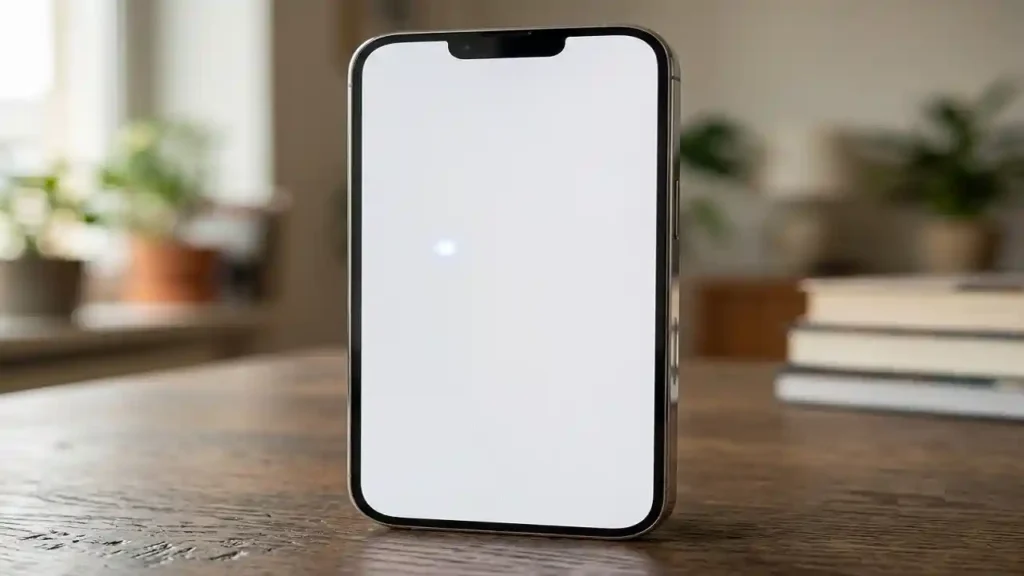
If you spot an irregular bright patch on your display, you must act methodically to avoid worsening the internal hardware state.
Never apply direct physical pressure to the white area in an attempt to massage the pixels back to life.
Doing so can permanently rupture the surrounding pixel matrix and cause a total black cutout across your panel.
We have compiled a precise sequence of actions based on official service manuals and engineering insights.
Follow these steps to diagnose the severity of your display problem before seeking professional terminal hardware replacement.
1.Perform a Forced System Restart:Eliminate software anomalies.
Simultaneously press and quickly release the volume up button, then the volume down button.
Hold down the side power button until the classic Apple logo appears on the display.
This action clears the temporary system cache and rules out localized graphical rendering bugs.
2.Toggle Dark Mode and Reduce White Point:Isolate visual distortions.
Navigate directly to your system settings menu and activate the systemic Dark Mode theme option.
Observe whether the bright patch remains highly visible against a solid dark gray backdrop.
If the spot stays brilliantly white, your panel is suffering from mechanical pressure rather than a software pixel mapping issue.
3.Inspect the Side Profile Geometry:Check for physical structural swelling.
Place your smartphone completely flat on a perfectly level glass surface with the screen facing upwards.
Look closely along the seam where the display assembly meets the outer aluminum frame.
Any noticeable lifting, bowing, or structural warping indicates a critically swollen lithium-ion battery cell underneath.
4.Verify Your Official Coverage Status:Formalize your repair path.
Open the native support application or log directly into your official Apple Account profile page.
Check the exact expiration date of your hardware warranty or your ongoing protection plan layer.
Book an appointment specifying an authorized technician to handle the delicate internal display geometry repair.
If you suspect your internal hardware is expanding, check out our diagnostic breakdown of iphone battery swelling signs to ensure user safety.
A damaged battery requires immediate specialized handling by professionals equipped with proper thermal mitigation gear.
Never attempt to open the chassis yourself, as puncturing a pressurized battery releases toxic fumes and creates a severe fire hazard.
The White Screen iOS Is Affecting Your Device
Long-Term Maintenance and Prevention Tips
Preventing display stress requires a proactive approach to charging habits and environmental exposure.
Using uncertified charging bricks can cause massive voltage fluctuations that generate extreme internal thermal loads.
Our team observed that devices left on wireless charging pads overnight experience prolonged heat cycles that weaken structural adhesives.
Always store your smartphone away from direct sunlight and avoid leaving it inside enclosed vehicles during hot summer days.
Investing in a rigid, high-quality protective case helps absorb external twisting forces that strain the display glass.
By monitoring your thermal output and treating your device with care, you can entirely avoid the dreaded bright dot failure.